app.virtconsole.com/instance/manage
Deploy, suspend, resume, reinstall, migrate and destroy KVM or Proxmox VE instances, with the safety nets customers expect: live migration, automatic HA evacuation, and browser consoles that need no client software.
Every operation from deploy to destroy, task-tracked with real-time progress.
Deploy with cloud-init for automatic OS configuration, SSH key injection and network setup. First instance live in under 60 seconds.
Suspend, resume, reinstall, resize and destroy with a single click. Every operation is a tracked task with live progress.
Linux, Windows and BSD images out of the box. Mount custom ISOs or create golden images from configured instances.
Three ways into any instance, straight from the browser. No client software, no open ports.
Real-time noVNC console over WebSocket, responsive even during boot. Copy and paste works between local machine and guest.
A real SSH shell in the browser, like Linode or DigitalOcean. Keys are injected via the guest agent, temporary firewall rules open and clean up per session.
xterm.js serial console for guests without a display, tenant-scoped and permission-checked in both panels.
From CPU topology to I/O throttling, full control over how resources are allocated and consumed.
Configure sockets, cores and threads. CPU models include host-passthrough and EPYC.
Adjust memory allocation, attach multiple disks, hot-add and resize without downtime.
Read and write IOPS and bandwidth limits per disk keep noisy neighbors in check.
Inbound and outbound bandwidth limits per interface, tracked in real time.
CPU, RAM, storage, bandwidth, IP allocation, topology and I/O limits defined once per plan, with per-location pricing.
Assign physical NVIDIA GPUs directly to instances for AI, ML and rendering. Bare-metal performance, billed hourly.
Maintain hardware without maintenance windows, and survive node failures automatically.
Move running VMs between hypervisors with memory state preserved and zero service interruption. Real-time progress over WebSocket.
Offline disk-level transfers between storage backends and pools, with abort support.
Heartbeat monitoring detects a failed node within seconds and restarts HA-enabled instances on healthy nodes in the same group.
Failed hypervisors are powered off at the hardware level before evacuation, preventing split-brain scenarios.
First-class Windows guests, and clean paths in from other platforms.
Hyper-V enlightenments for stable timers and performance on KVM, with hypervisor-wide defaults and per-instance overrides. Native Windows handling on Proxmox.
VMs imported from VMware or Hyper-V are detected automatically and repaired offline with one click, instead of blue-screening on first boot.
Adopt existing KVM domains as managed instances with MAC and IP preserved, or migrate off Virtualizor with disks landing natively on LVM and ZFS.
Live performance data pushed over WebSocket. No polling, no delays.
CPU, memory, disk I/O, disk usage, and network packet and error charts per instance. Honest memory graphs that count reclaimable cache as free.
Per-interface accounting for public, VPC and NAT traffic, with configurable overage handling.
Customers point their own Prometheus or Grafana at scrape endpoints using the API token they already have.
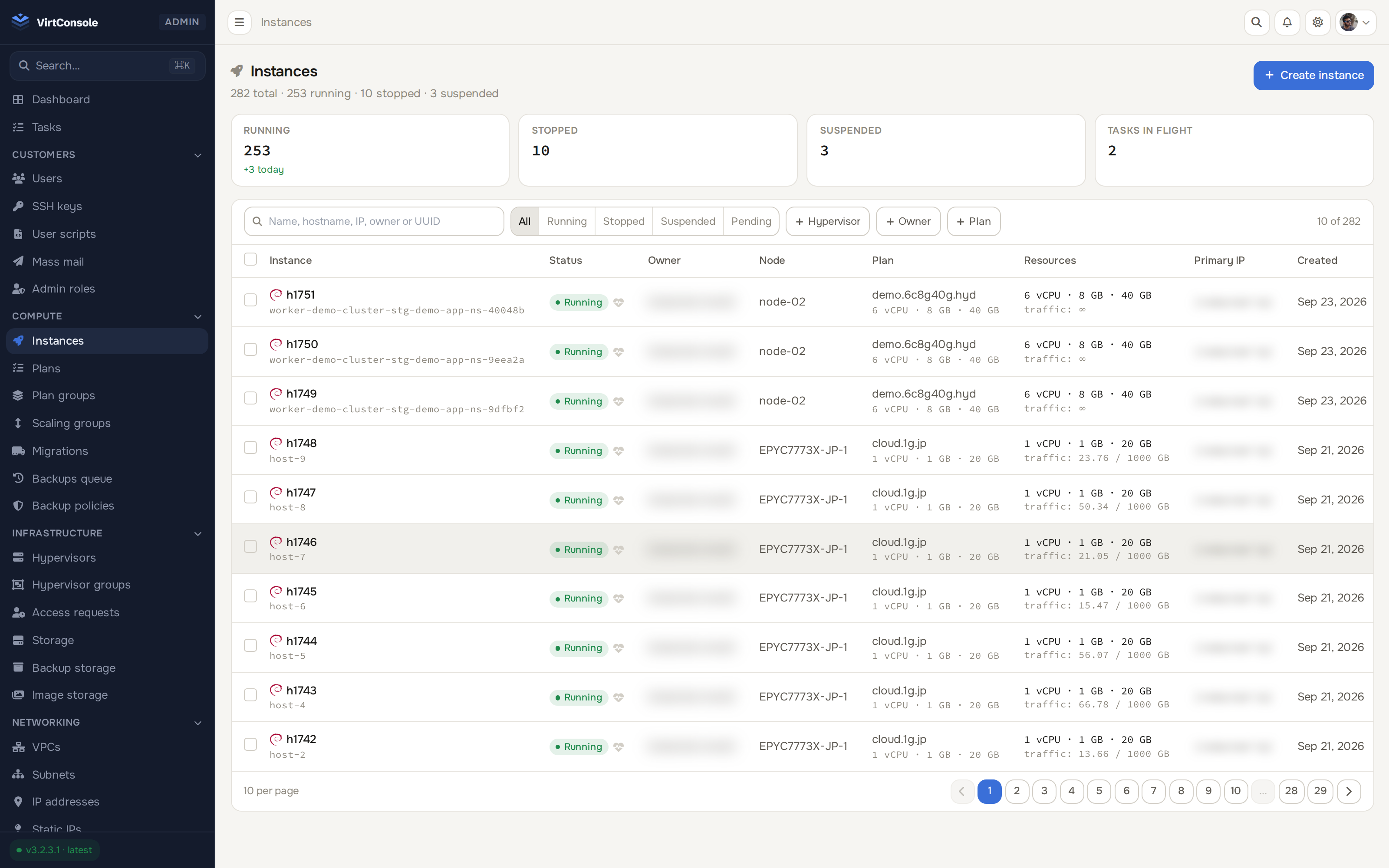
270 instances, filtered and searchable, next to the detail page any one of them opens into.
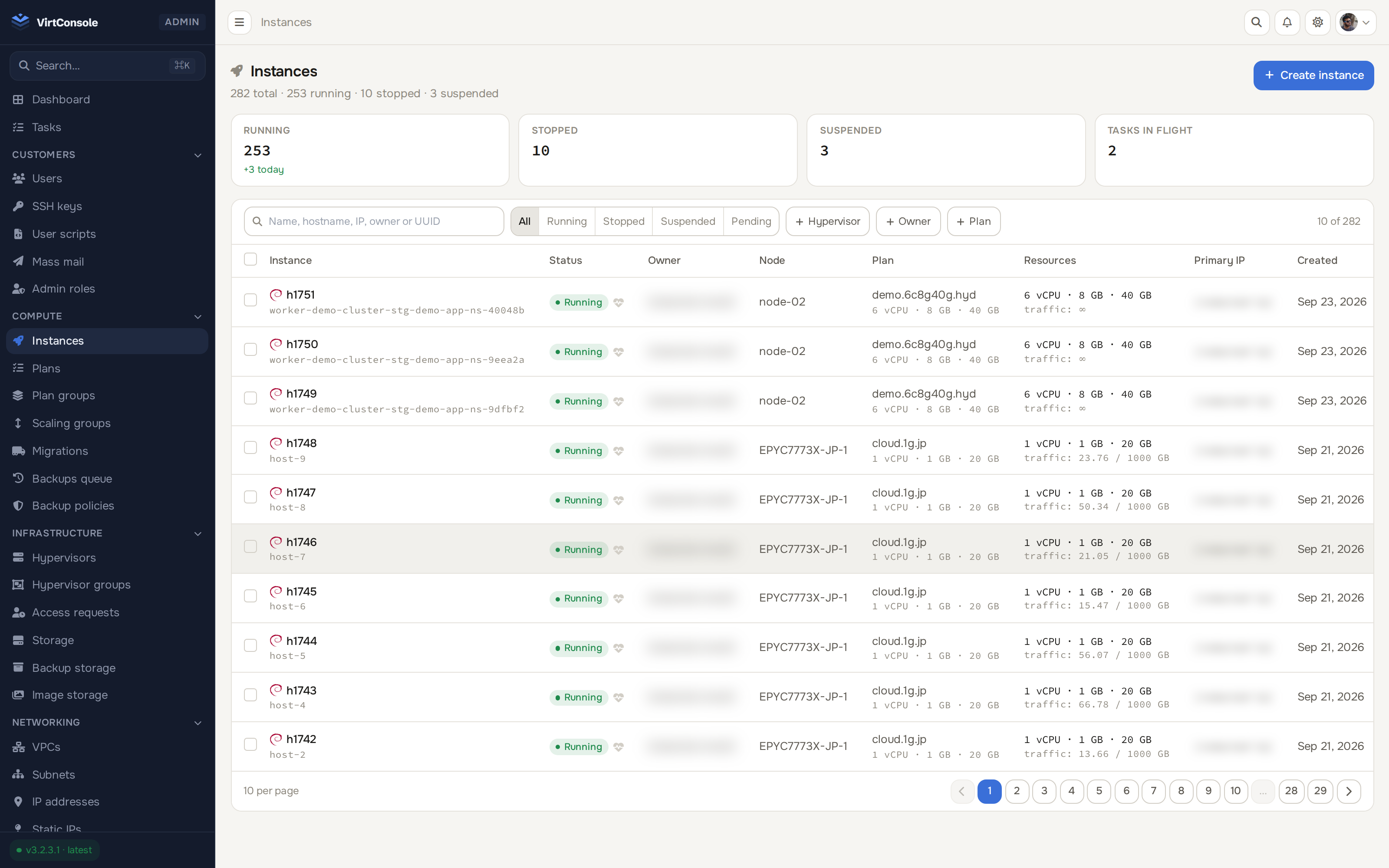
270 instances across nodes, filtered and searchable
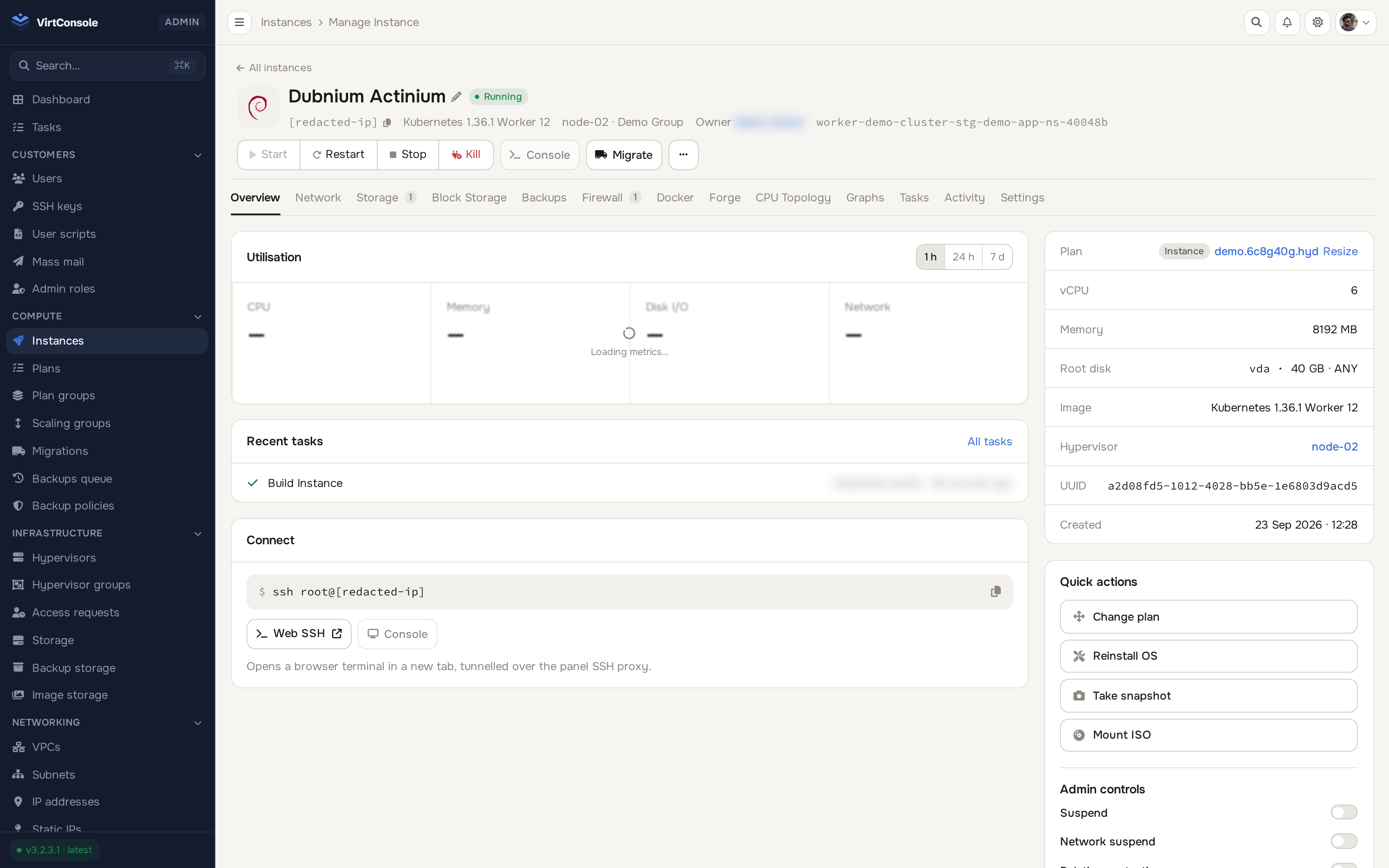
One instance, open: live graphs, power controls, console
Free 30-day trial. Every feature included. No credit card required.
30 days, every feature, no credit card, VirtConsole installs with the trial active by default. Just run the installer on your own hardware.
Debian 11/12/13 · Ubuntu 22.04/24.04/26.04 · Rocky / Alma / CentOS Stream 9/10 · run as root.