app.virtconsole.com/support/tickets
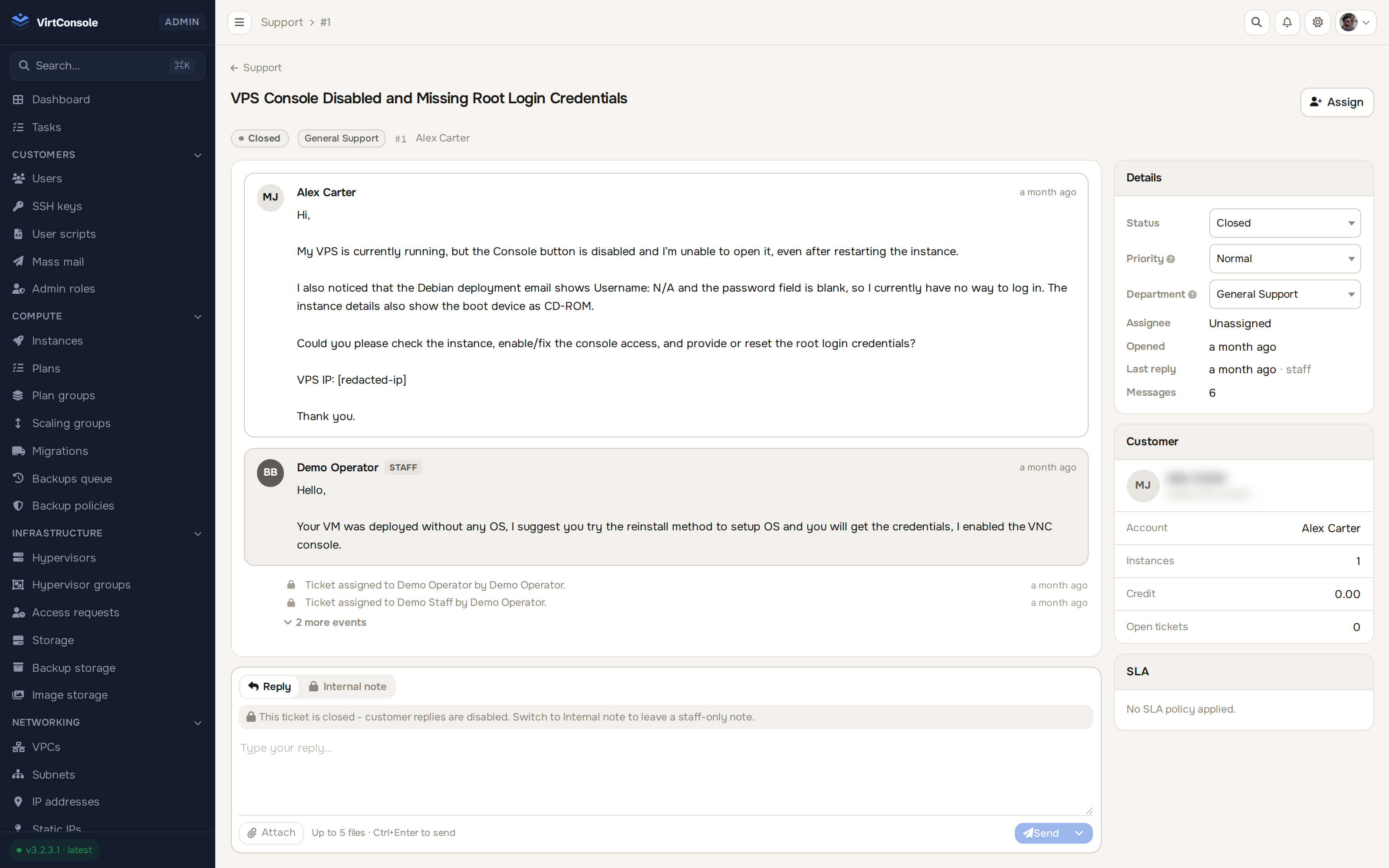
Departments, four priorities, and pause-aware SLA timers your reports can stand behind. Every new ticket gets an AI triage note grounded in the exact resource it concerns, before your staff even open it.
Tickets, departments, priorities and a lifecycle that behaves.
Customers open tickets against departments you define, at four priorities. Departments get their own admin teams, so the right queue reaches the right people.
Open, pending, resolved, closed. Resolved tickets auto-close after a configurable window, with a reopen grace period a customer reply can use.
A ticket links the instance, volume, cluster, database, load balancer, bucket or VPC it concerns. The picker only shows resources the account owns.
Targets your reports can stand behind.
First-response and resolution targets per department and priority. A ticket waiting on the customer pauses its clock and resumes on reply.
SLA reports computed from actual due columns, not cron-dependent flags, so the numbers hold up.
SLA breaches surface as staff-only system rows in the thread, live over WebSocket.
Every ticket arrives with the homework already done. AI drafts, humans send.
The assistant reviews each new ticket and files a staff-only note: an assessment, a one-click suggested reply, and next actions. Optionally re-runs on every customer reply.
A context card shows live status, metric sparklines, recent tasks and alerts for the linked resource. The same evidence feeds the AI, so it cites a failed backup task, not a guess.
A Run AI Analysis button queues a fresh pass any time a ticket needs a second look.
One thread, many channels, nothing leaked.
Staff-only notes can never render into a customer-facing view or payload. Even closed tickets accept notes, for post-mortems.
Every upload passes ClamAV before acceptance. Images and PDFs preview inline. Storage on local disk or your own S3 bucket.
Events fan out to Slack, Discord, Telegram or webhooks, threads update live over WebSocket, and support stays reachable even for suspended accounts.
Free 30-day trial. Every feature included. No credit card required.
30 days, every feature, no credit card, VirtConsole installs with the trial active by default. Just run the installer on your own hardware.
Debian 11/12/13 · Ubuntu 22.04/24.04/26.04 · Rocky / Alma / CentOS Stream 9/10 · run as root.