app.virtconsole.com/dashboard
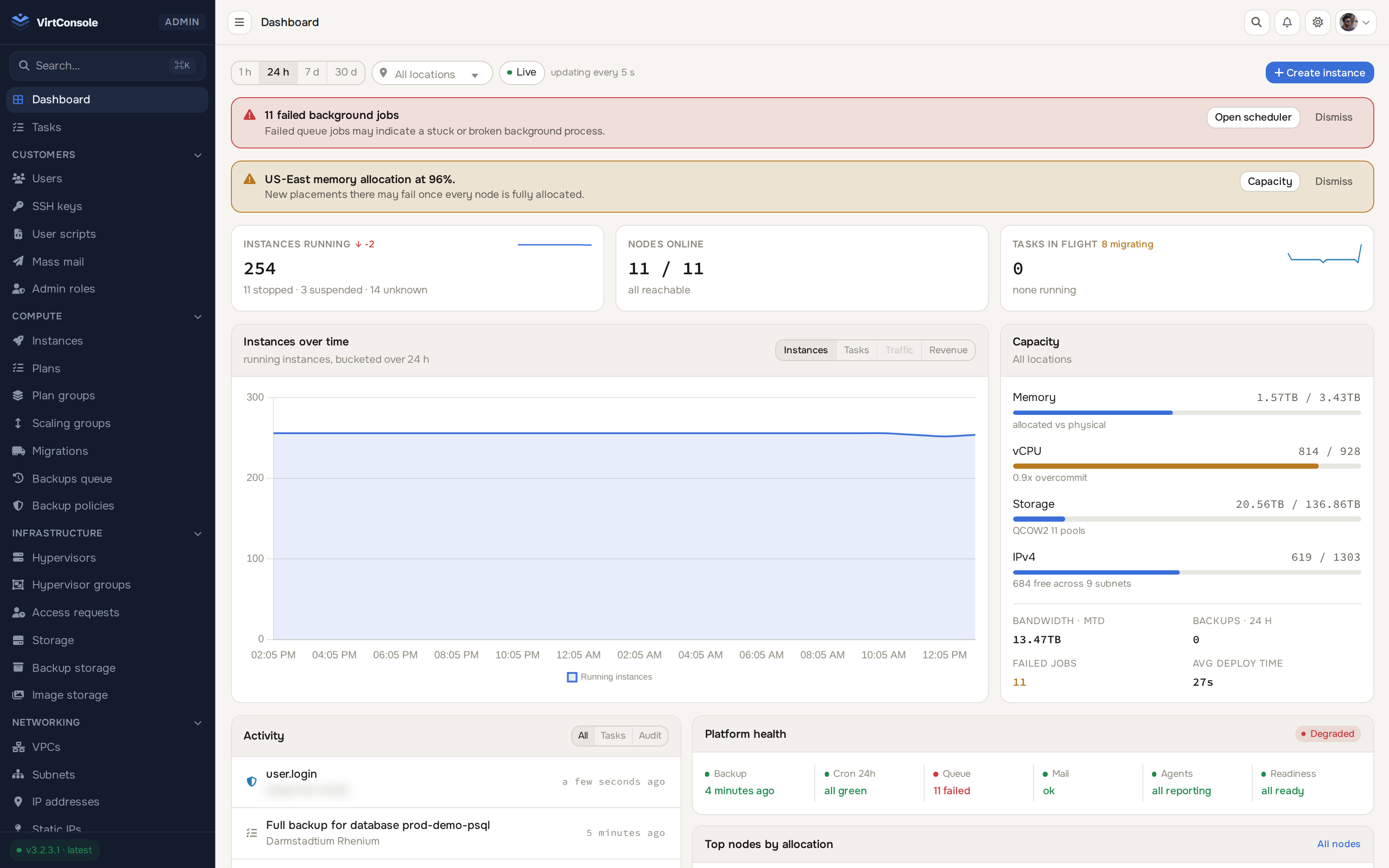
A private cloud turns your own servers into self-service infrastructure: people deploy machines, networks and storage on demand, and you see what each of them uses. This page explains what the software has to do, how the main options differ, and where VirtConsole fits.
Descriptions of other projects quote their own websites, read on 17 November 2026.
Virtualization alone gives you machines. A private cloud adds the layer that lets other people use them without you: accounts, quotas, self-service deployment, private networks, storage they can attach, and a record of who used what. Whatever software you pick, check it against these needs.
| Software | How its own site describes it | Licensing |
|---|---|---|
| OpenStack | A cloud operating system that controls large pools of compute, storage and networking resources, managed through APIs. Modular, with components you select and deploy | Apache 2.0 |
| Apache CloudStack | Open-source software designed to deploy and manage large networks of virtual machines. Supports VMware, KVM, XenServer and Xen Cloud Platform | Apache 2.0 |
| OpenNebula | An end-to-end cloud and virtualization management platform that brings KVM virtual machines and Kubernetes clusters into one management environment | See the project site |
| Proxmox VE | A virtualization platform with a cluster web interface, HA, SDN, Ceph, backup and a REST API | GNU AGPLv3, optional paid subscriptions |
| VirtConsole | A self-hosted control panel for KVM and Proxmox VE that adds customer panels, VPC networking, Kubernetes, managed databases, object storage and billing | Commercial, per hypervisor |
Sources: openstack.org/software, cloudstack.apache.org, opennebula.io/discover, proxmox.com features page and pve.proxmox.com, all read 17 November 2026.
These products overlap but start from different places. Large open source platforms are built for breadth and scale, and reward a team that can operate them. A virtualization platform gives you the hypervisor and cluster, and you add the cloud layer yourself or with another product. A control panel starts from the customer experience and the commercial side.
Start on a single node, then add hypervisors as you grow. Licensing is per hypervisor, with every feature included.
VPC networking, security groups, NAT and VPN gateways, load balancers, managed Kubernetes, managed databases, block storage and S3-compatible object storage on the same panel.
Customers or internal teams get their own panel, and usage is metered per account so you can charge back or bill.
A REST API, an OpenTofu and Terraform provider and an MCP server for AI agents.
If you operate at very large scale, need a vendor-neutral foundation governed by a community, or manage hypervisors other than KVM and Proxmox VE, an open source platform such as OpenStack or CloudStack is built for that and VirtConsole does not claim to match its breadth.
VirtConsole is a single-vendor commercial product. That gives you one point of contact and one set of release notes, and it also means you depend on one vendor.
Paying customers need a storefront and billing. Internal teams may only need quotas and showback.
A handful of hosts and a handful of racks call for different software.
If you already run Proxmox VE, a layer that manages it directly keeps your investment.
Modular platforms need engineers who know the components. A panel packages the operation.
List the services you must offer on day one, such as Kubernetes, databases or object storage, and check each is included.
Software that turns servers you own into self-service infrastructure, with accounts, quotas, networking, storage and metering on top of a hypervisor.
For hosting providers and teams running KVM at small to mid scale, it can be. It is a commercial control panel with billing and cloud services built in. OpenStack is a larger, modular open source platform built for breadth and scale.
Yes. Proxmox VE provides the hypervisor, cluster, SDN and backup. A layer such as VirtConsole adds customer accounts, plans, VPCs, services and billing on top.
One management server and one hypervisor are enough to start. Features such as automatic restart after a host failure need at least two hypervisors on shared storage.
Yes. Managed Kubernetes, managed MySQL, MariaDB and PostgreSQL, and S3-compatible object storage are part of the platform.
Install the panel on a server you own and link a KVM host or a Proxmox VE node. The 30-day trial includes every feature and needs no credit card.
30 days, every feature, no credit card, VirtConsole installs with the trial active by default. Just run the installer on your own hardware.
Debian 11/12/13 · Ubuntu 22.04/24.04/26.04 · Rocky / Alma / CentOS Stream 9/10 · run as root.