app.virtconsole.com/clusters
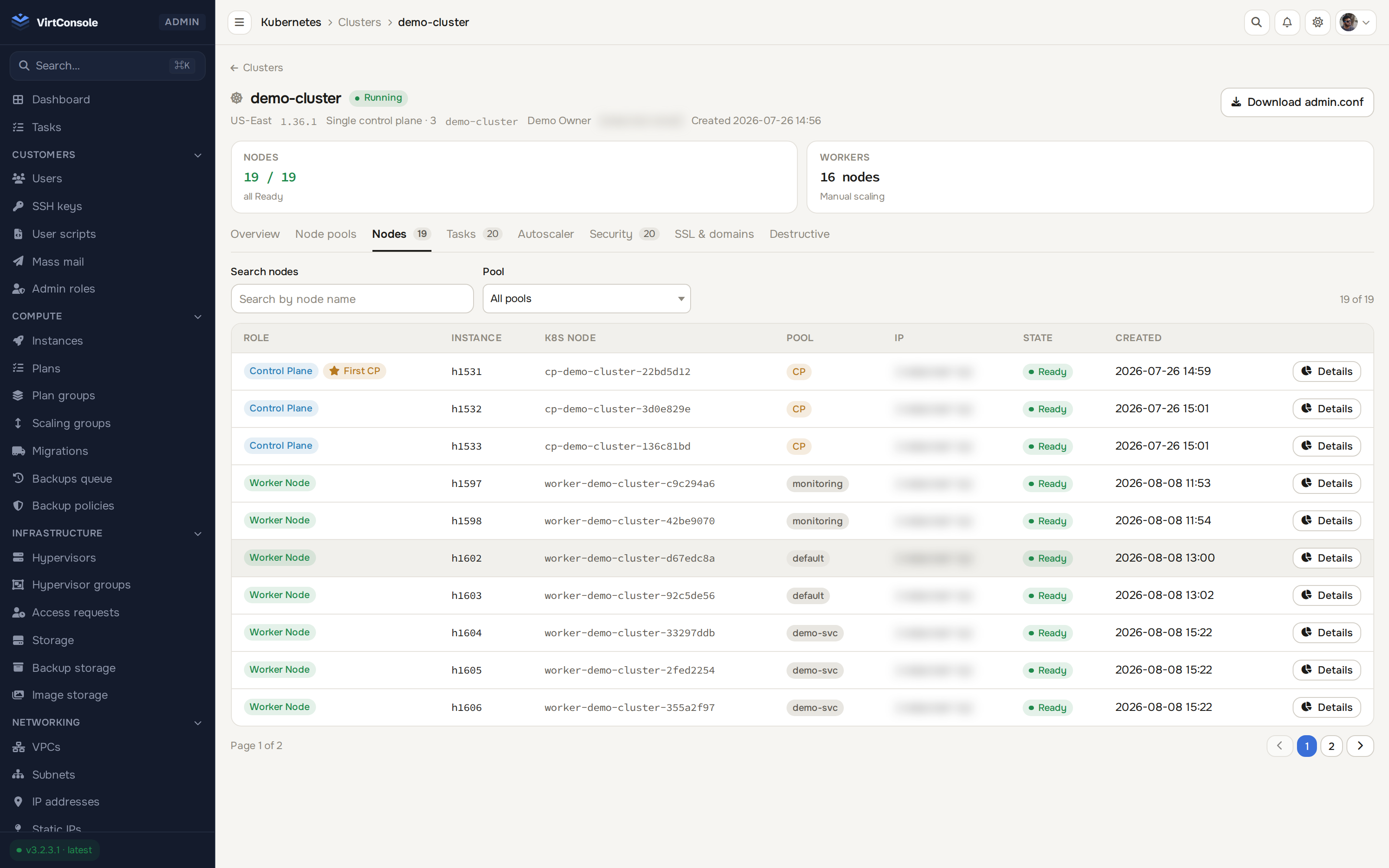
VirtConsole creates and operates Kubernetes clusters end to end. A customer picks a region, a VPC and a version in a wizard, and the panel builds the virtual machines, installs Kubernetes, wires the networking and puts a managed load balancer in front of the API server. Clusters are ready in roughly 5 to 12 minutes.
Clusters run on your own instance plans, load balancer plans and storage.
Choose a region, a VPC, a Kubernetes version, the control plane size and a default node pool. Control plane nodes sit in private subnets, workers can use a separate subnet to isolate them, and the VPC needs a NAT gateway so workers can pull images.
Mix node shapes in one cluster, each pool with its own plan, labels, taints and autoscaling bounds, for example a general pool next to a GPU pool.
The Cluster Autoscaler watches for pods that cannot be scheduled and asks the panel to add or remove workers, strictly within the pool bounds you set.
Rolling upgrades only offer versions you can reach, since Kubernetes does not skip minor versions. Changing a pool's plan provisions replacements first, then drains the old nodes.
Annotate a Service to choose a plan, a protocol, a Let's Encrypt certificate or an internal VPC address. New workers join the load balancer pool within seconds.
Public and VPC-internal API endpoints, a custom domain with a Let's Encrypt or custom certificate, and a default Pod Security Admission profile chosen at create time.
The panel does not ship pre-built Kubernetes node images. You bake control plane and worker images for each version you offer with the supplied script, so you control what runs on your nodes.
Turn Kubernetes on for a hypervisor group, then register each supported version with its images.
Clusters use your instance plans, so pricing follows the plans, load balancer plans and storage you already sell.
Open any customer cluster from the admin panel, with destructive controls such as scale, upgrade and delete behind separate permissions.
Each supported version needs a node kernel of 5.15 or newer and at least 2 GB of RAM on control plane and worker nodes.
Hosting customers ask for Kubernetes when they outgrow a handful of virtual machines: a team that wants a staging cluster per project, an agency running many small applications, or a business that wants nodes only reachable inside a private network. Because clusters live in a VPC, they can sit next to the customer's other machines, databases and load balancers with the same security groups.
Node pools let one cluster hold different machine shapes, for example general workers beside a pool with GPU passthrough, so a single bill covers the whole workload.
| Area | Handled by the panel | Left to the customer |
|---|---|---|
| Cluster build | Virtual machines, Kubernetes install, networking, API load balancer | Choosing region, VPC, version and sizes |
| Certificates | Cluster PKI, autoscaler tokens and the cloud controller rotate before expiry | Their own application certificates, or Let's Encrypt through Service annotations |
| Scaling | Adds and removes worker VMs within pool bounds | Setting the bounds and resource requests |
| Upgrades | Rolling control plane and worker waves along valid version paths | Choosing the time and testing workloads |
| Workloads | Not managed | Everything that runs in the cluster |
Source: VirtConsole documentation, Kubernetes section, and the Kubernetes feature page.
Image baking is a step you own. It gives you control, and it means a new Kubernetes version is available to customers only after you have baked and registered it. The in-cluster autoscaler is likewise published per version, so check that one exists for the version you want to offer before you list it.
Clusters run on the virtual machines of your own hypervisors, so capacity planning for control planes and workers is yours. This is a managed service on your hardware, not a separate hosted control plane.
Provisioning typically takes 5 to 12 minutes.
A cluster can use one or three control plane nodes. Three nodes give a three-node etcd quorum that tolerates the loss of any one node.
Yes. Pools have minimum and maximum bounds, and the Cluster Autoscaler scales workers within them when pods cannot be scheduled.
Clusters run inside a VPC and use the Cilium CNI. Services of type LoadBalancer get managed load balancers automatically.
Yes. They download a kubeconfig from the cluster page and use kubectl against the public or the VPC-internal endpoint.
Install the panel on a server you own and link a KVM host or a Proxmox VE node. The 30-day trial includes every feature and needs no credit card.
30 days, every feature, no credit card, VirtConsole installs with the trial active by default. Just run the installer on your own hardware.
Debian 11/12/13 · Ubuntu 22.04/24.04/26.04 · Rocky / Alma / CentOS Stream 9/10 · run as root.