app.virtconsole.com/instances
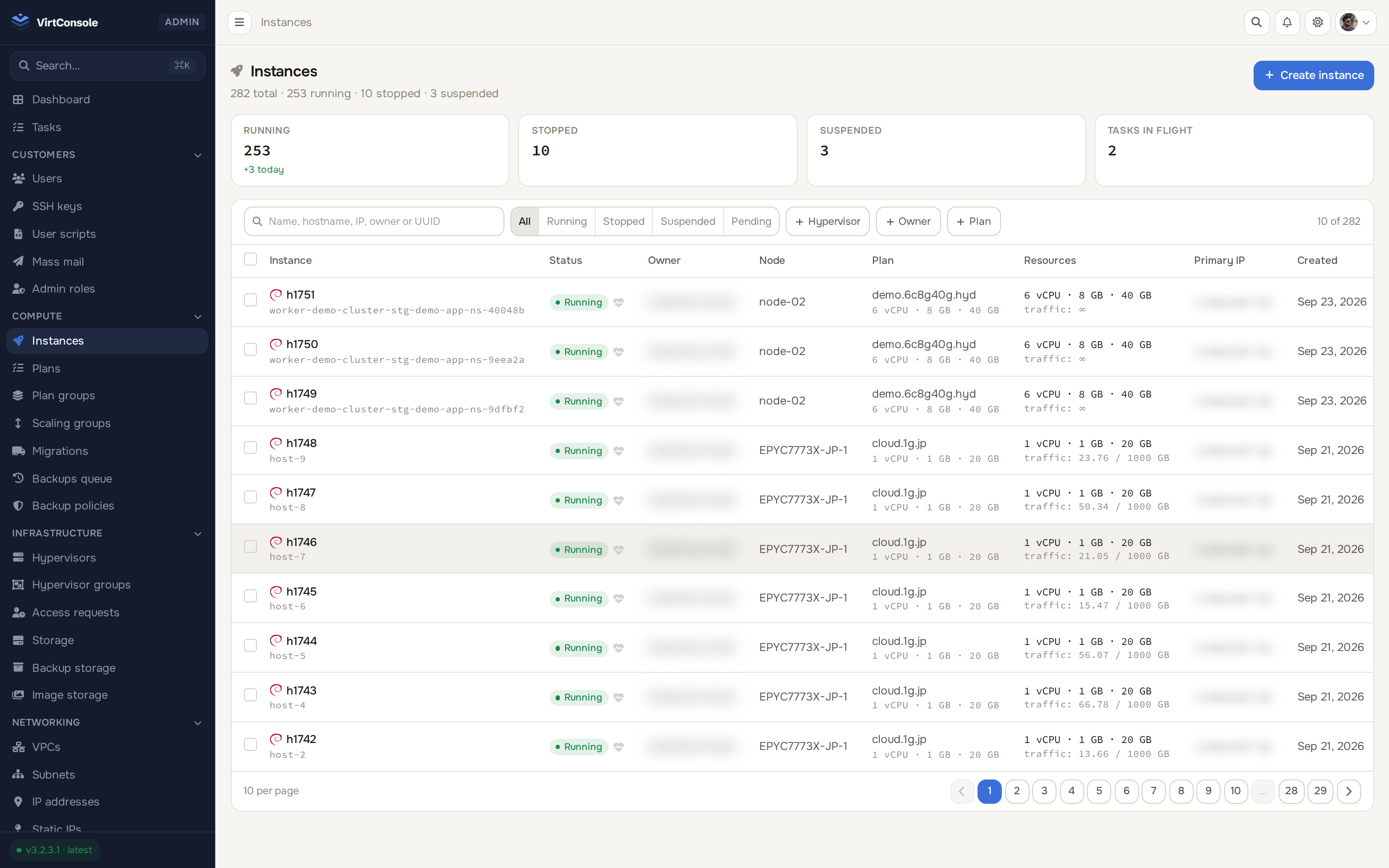
VirtConsole is a self-hosted control panel for KVM. You install it on a server you own, connect your hypervisors, and your customers deploy and manage virtual machines from their own panel, while you handle plans, networking, backups and billing from one admin panel.
Debian, Ubuntu and RHEL-family hosts are supported. See the requirements section for the exact versions.
KVM and QEMU give you the virtual machines. A control panel is everything around them: the part your customers log in to, the part your staff operate, and the part that turns usage into invoices. A host that sells virtual servers needs the same handful of capabilities whichever panel it picks.
Use this list to judge any KVM control panel, including this one:
The sections below show how VirtConsole covers each one, and where it asks you to bring something of your own.
VirtConsole has two parts. The panel runs on a management server you own and holds the admin panel, the customer panel, the REST API, the database and the task queue. A small agent runs on each KVM hypervisor and executes the commands the panel sends it.
The panel starts every connection, over HTTPS on port 2443, so a hypervisor never needs inbound access to the panel. Each long operation, such as creating a VM or taking a backup, becomes a task with live progress, and browsers receive updates over a WebSocket so lists and progress bars move without a refresh.
Hypervisors, storage pools, plans, images, subnets, users, tasks, billing and support in one place.
Customers create and manage their own instances, firewalls, backups, SSH keys, volumes and networks.
Everything the panels do is reachable by API, with a Terraform and OpenTofu provider and an MCP server on top.
Group hosts into locations. Plans deploy into a group, and the panel picks an available host in it at deploy time.
Deploy, power control, suspend, resume, reinstall and destroy, with cloud-init, custom ISOs, rescue mode and an in-browser console.
IPv4 and IPv6 subnets, reverse DNS, NAT, VPC private networks, security groups, load balancers and VPN gateways.
Backends including Ceph RBD, LVM, ZFS, QCOW2 and NFS, scheduled backups with retention, block volumes and S3-compatible object storage.
Live migration between hypervisors, and automatic restart of instances on a healthy host when a host fails, with IPMI or Redfish fencing.
Managed Kubernetes, managed databases and scaling groups, sold on the same plans and billing as virtual machines.
Built-in hourly billing with card and wallet payments, self-provisioning packs, or modules for WHMCS, Blesta, HostBill and Paymenter.
Run the installer on a management server with 4 GB of RAM and 20 GB of disk. The panel is served over HTTPS on ports 80 and 443.
Use a clean server with hardware virtualization enabled. The agent needs port 2443 reachable from the management server.
Add storage pools, then subnets and IP addresses, and group your hosts into a location.
A plan fixes CPU, RAM, disk, bandwidth and IPs. Images give customers an operating system to deploy.
Connect your billing system, or switch on built-in billing, and invite customers to their panel.
| Item | Requirement | Notes |
|---|---|---|
| Management server | Debian 11, 12 or 13; RHEL 9 or 10 (Rocky, AlmaLinux); Ubuntu 22.04, 24.04 or 26.04 | 4 GB RAM and 20 GB disk minimum; ports 80 and 443 open |
| KVM hypervisor | The same operating system list, on a clean server | Intel VT-x with EPT or AMD-V with RVI, enabled in the BIOS |
| Network | Port 2443 from the management server to each hypervisor | The panel initiates every connection |
| Proxmox VE (optional) | Proxmox VE 8 or 9 with an API token | Agentless; nothing is installed on the node |
Source: VirtConsole documentation, Requirements.
VirtConsole is self-hosted, so you run the management server and keep it updated. That is the point for many providers, because customer data and billing stay on your infrastructure, but it is work a hosted panel would do for you.
Automatic restart after a host failure needs shared storage on every host in the group (Ceph is recommended, NFS also works) and BMC access for fencing. Without shared storage you still get backups and migration between hosts, but not automatic restart after a host failure.
The panel is built around KVM, with Proxmox VE as a second, agentless driver. If you need a panel that also manages other hypervisors, check that against your plan before you commit.
A KVM control panel is the software layer above KVM and QEMU that lets staff manage hypervisors and lets customers deploy and manage their own virtual machines. It adds accounts, plans, networking, backups and, in some products, billing.
Yes. You install the panel on a management server you own and connect your own hypervisors to it. Pricing is per hypervisor, and the panel itself is not charged separately.
Yes. The customer panel covers deploying and reinstalling instances, power control, console access, firewall rules, backups, SSH keys and private networking.
Yes. There are first-party modules for WHMCS, Blesta, HostBill and Paymenter, and the panel also has its own hourly billing if you prefer not to run a separate billing system.
Yes. Proxmox VE 8 and 9 nodes link with an API token and appear in the same inventory as your KVM hosts, with the same plans and billing.
Install the panel on a server you own and link a KVM host or a Proxmox VE node. The 30-day trial includes every feature and needs no credit card.
30 days, every feature, no credit card, VirtConsole installs with the trial active by default. Just run the installer on your own hardware.
Debian 11/12/13 · Ubuntu 22.04/24.04/26.04 · Rocky / Alma / CentOS Stream 9/10 · run as root.