app.virtconsole.com/hypervisors/proxmox
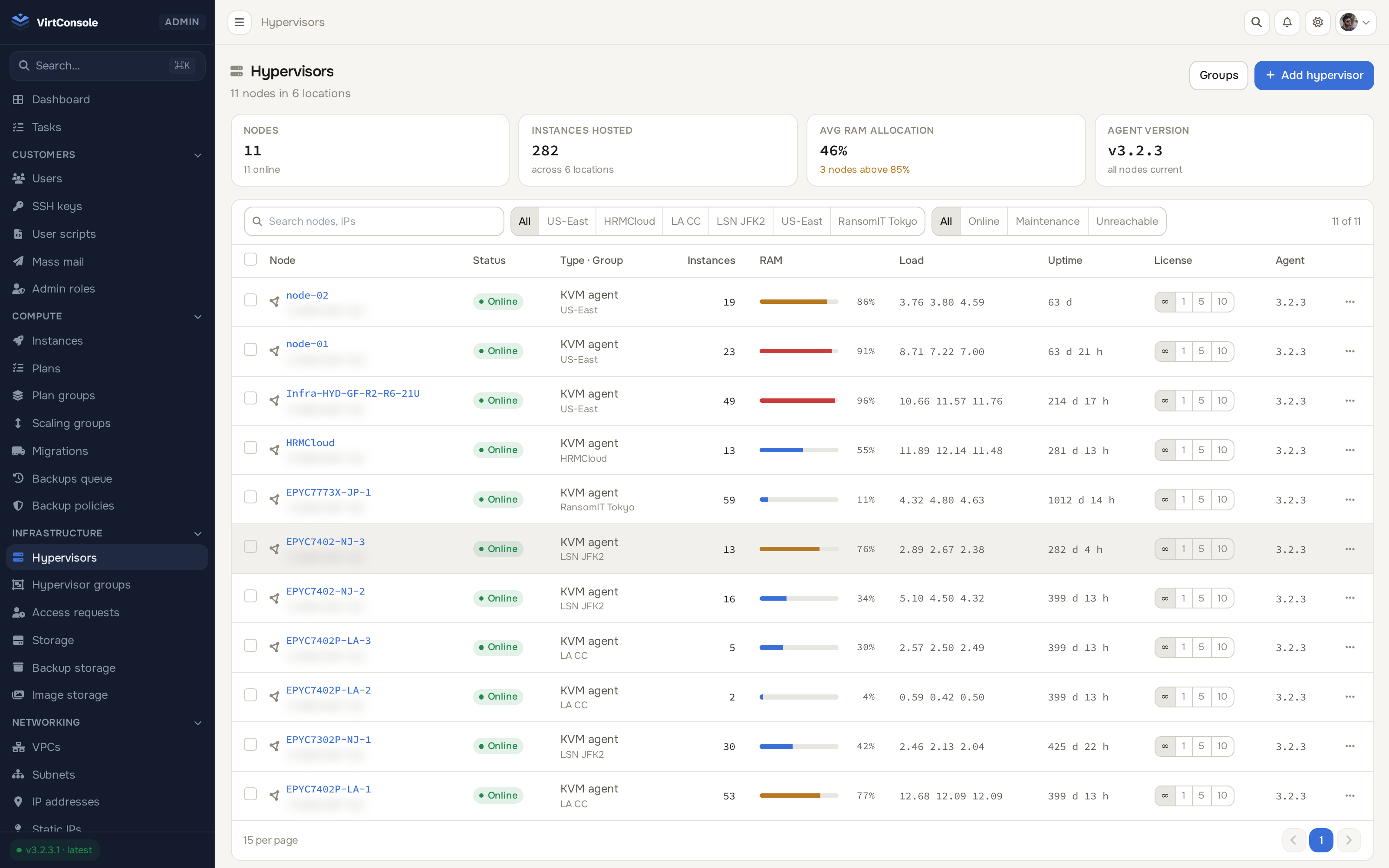
Proxmox VE is a capable hypervisor and cluster manager. VirtConsole adds what a hosting business needs around it: customer accounts, plans, private networks, backups, billing and an API. It talks to the Proxmox REST API, so nothing is installed on your nodes.
Proxmox VE 8 and 9 are supported, as single nodes or clusters.
Proxmox VE includes a web interface for the whole cluster, live migration, a high availability manager, software-defined networking, integrated Ceph, built-in backup with Proxmox Backup Server, a distributed firewall and a REST API. It is open source under the GNU AGPLv3.
Its access model is built around realms, resource pools and path-based roles: you grant a user or API token a role on a path such as a pool. That suits an operator team well. A hosting business also needs things around the hypervisor: an order flow, plans that customers choose from, invoices and payments, and a panel built for customers rather than operators. The published Proxmox VE feature list does not include an order flow, invoicing or payments, and that commercial layer is what VirtConsole provides.
In the Proxmox web interface go to Datacenter, Permissions, API Tokens and add one for the account VirtConsole will use.
In the admin panel choose Add hypervisor, select Proxmox VE, and enter the node's address, node name and token. A fingerprint can be added to pin the certificate.
It reads the node's storage, networks and existing guests. Add more nodes to the same group and the group becomes a cluster, with no separate cluster setup in VirtConsole.
The panel talks only to the Proxmox REST API. Virtual machines stay visible in the Proxmox web interface, tasks are ordinary Proxmox tasks, and nothing on the node is patched.
Deploy, power, suspend, reinstall, resize and destroy, with cloud-init, ISO mounting and GPU passthrough. OS images build into a backup archive once per cluster and restore into each customer's VM ID.
A VPC is realized as an EVPN zone with its own vnets and subnets. Security groups compile to the Proxmox firewall, with anti-spoofing filters and per-VM rule sets.
Directory, NFS, LVM, LVM-thin, ZFS and Ceph RBD, including onboarding an external Ceph cluster from the panel.
Backup, restore and delete per instance, scheduled jobs with retention, and with Proxmox Backup Server, file-level restore from a backup. The same destination can also back up your KVM hypervisors.
Live migration between cluster nodes with an eligibility check, and instances enrolled into Proxmox's own HA stack on deploy, so the panel mirrors that state instead of running a second watchdog.
Once nodes are linked you sell Proxmox capacity the same way you sell KVM capacity. Plans define CPU, RAM, disk, bandwidth and addresses. Customers sign in to their own panel and deploy; you bill them with the panel's built-in hourly billing, with prepaid resource packs, or through a WHMCS, Blesta, HostBill or Paymenter module.
Plans set what happens when a bandwidth allowance runs out: suspend the network, throttle it, suspend the instance, or charge the overage per GB.
VPS billing software | WHMCS VPS module | Proxmox VE feature page
You do not have to choose one driver for the whole business. Proxmox VE nodes and KVM hosts running the VirtConsole agent appear in one hypervisor list, and a plan can target a group of either type. That makes it practical to keep an existing Proxmox cluster in service while new capacity is added as plain KVM hosts, or the other way around.
Because the driver works through the Proxmox API, what a feature can do follows what Proxmox itself offers. VM snapshots with optional RAM state are a Proxmox capability, for example, and are available on Proxmox nodes.
The API port (8006) must be reachable from the management server, and a node with a self-signed certificate needs its fingerprint added so the panel can pin it. Use a dedicated API token for VirtConsole so you can review or revoke its access separately from your own.
Yes. The panel is agentless and uses the Proxmox API, so virtual machines it creates remain visible in the Proxmox web interface and its tasks appear as ordinary Proxmox tasks.
Proxmox VE 8 and 9, as standalone nodes or clusters.
No. The panel has built-in hourly billing with card and wallet payments. If you already run WHMCS, Blesta, HostBill or Paymenter, first-party modules provision through the panel's API.
Through noVNC, serial and WebSSH consoles in the customer panel. For guests reachable only inside a VPC, a small host-side proxy installs with one command on one node.
Yes. Both appear in one inventory and share plans, locations and billing.
Create an API token, point the panel at one node and see your existing virtual machines appear. The 30-day trial includes every feature.
30 days, every feature, no credit card, VirtConsole installs with the trial active by default. Just run the installer on your own hardware.
Debian 11/12/13 · Ubuntu 22.04/24.04/26.04 · Rocky / Alma / CentOS Stream 9/10 · run as root.